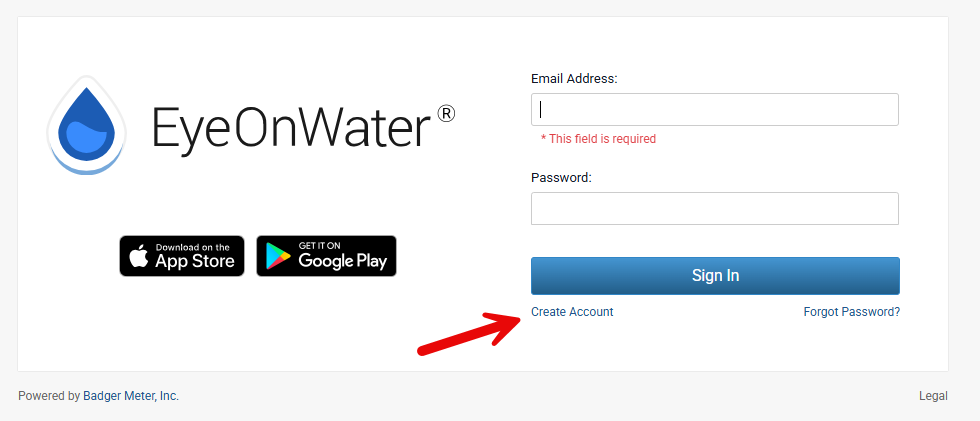
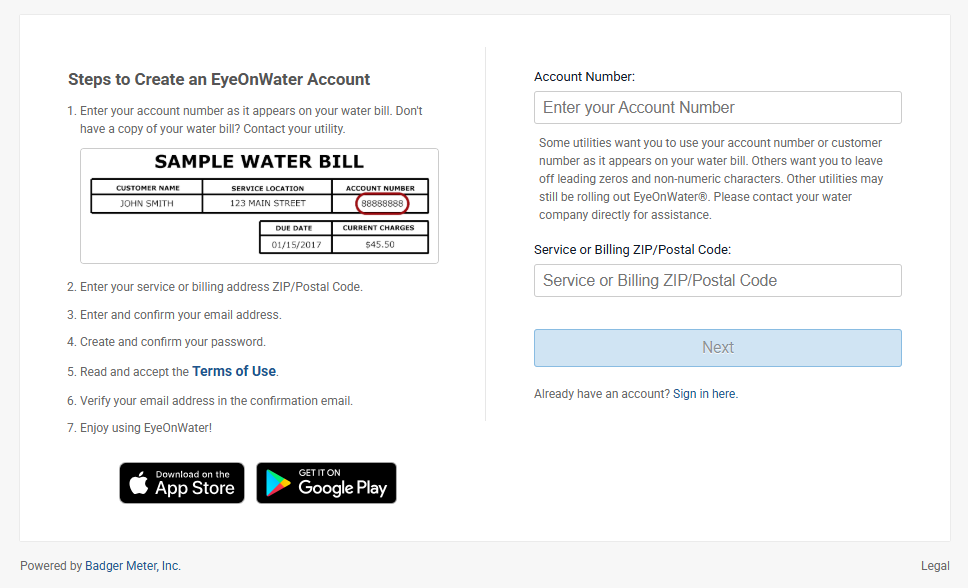
On the following page, you’ll need to provide your Del-Co account number as well as the zip code of your service address.
A box should appear with the heading ‘Create Account’ at the top; you should see your first and last name listed, as well as ‘DEL-CO WATER CO’. Click the blue button that says ‘Next’.
From there, you will enter your Name and Email information and create a password for the account. After this, follow the prompts provided, and it should allow you to have immediate access to your account and smart meter information.
We encourage you to register and start taking advantage of your Smart Meter benefits right away. Del-Co is committed to providing the highest level of customer care and oversight. However, you are your best resource when it comes to tracking water usage patterns and anomalies on your property. Your Smart Meter enables you the highest degree of capability in this endeavor!